Practical karaoke · Connection guide
Singsation Karaoke Machine: Check Duet Volume Controls
This buying worksheet uses the Bravo SPKA75 as a documented example.
What the manufacturer documents
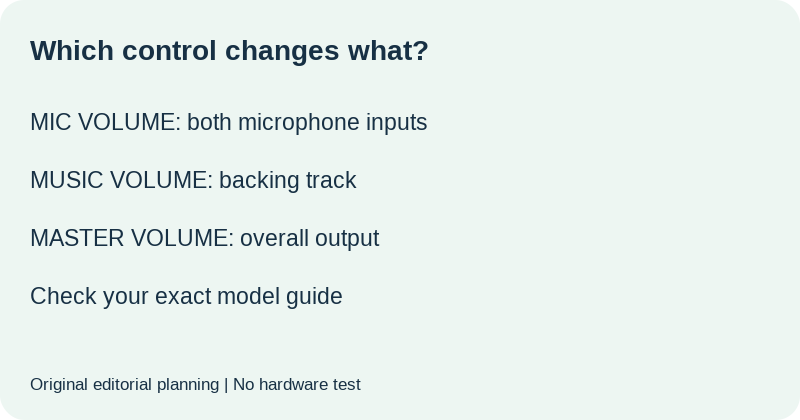
The official SPKA75 Quick Start Guide shows the supplied microphones plugged into MIC 1 and MIC 2. Bluetooth connects a separate music source. Printed pages 5 and 7 identify MIC VOLUME for the microphones, MUSIC VOLUME for backing music and MASTER VOLUME for overall output. The guide describes the LCD displaying voice and sound effects.
Write the duet requirement before comparing offers
Start with an ordinary song. Will both singers be comfortable with one shared voice setting, or does each need to raise their own voice between verses? Put your requirement into one sentence. Then decide who can reach the unit while singing. A host who runs the controls creates a different arrangement from two singers expecting to make their own adjustments.
A second input is useful information about connection capacity. To decide whether the complete arrangement fits your event, also ask what happens when someone turns the voice control. Your requirement card should name the two singers, the control access they expect and any additional equipment the seller says is necessary.
Request a demonstration that answers your question
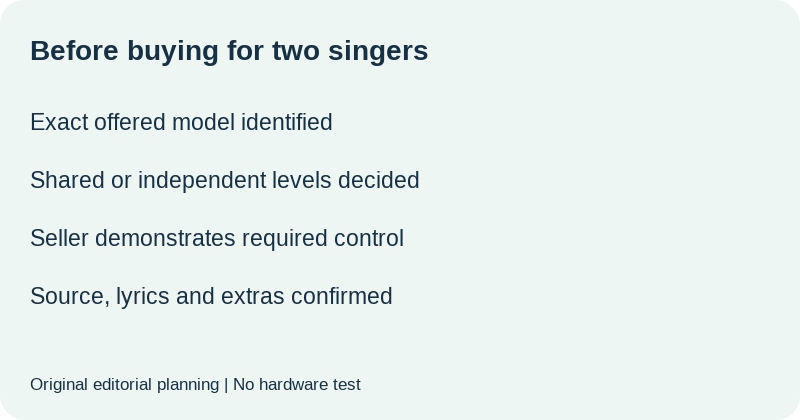
Ask the seller to use the exact offered model and microphones. Hear each microphone separately, then both over the same backing track. Have the seller name the control they change. If independent levels are your requirement, request a change to one singer while the other voice and the backing track stay steady.
Record whether the adjustment comes from the main unit or another item. If an accessory is necessary, ask whether it comes with this offer and include its cost in your own comparison. Keep the model, offer date and written answer together. These steps describe a demonstration you can request before buying.
Place the music and lyrics where they will be used
Write down your source device and app. Decide where the lyric screen stays and who changes songs. For your requested demonstration, keep the screen in that intended position. A setup that makes sense on a sales counter may need a different operating plan when singers share a room.
If you plan to use a television, ask about that specific source and television model. Keep the lyric-display requirement and the supported audio route clear in the question. The television connection guide helps you record the endpoints.
A message to send the seller
Use this original request. I am considering your Singsation [full model] offer for two singers. We need [one shared voice setting or independent singer levels]. Please demonstrate which controls change the microphones, backing music and overall output. Identify any extra equipment needed for our requirement and whether it is included. My source is [device and app], with lyrics on [screen]. Please confirm the supplied microphones and link the applicable manufacturer guide.
Ask for a direct answer to every unresolved part. If the seller offers a different model, check its controls and included items before accepting the substitution. Keep additional equipment separate in your budget so that you compare the full arrangement you intend to buy.
Decide from the requirement you wrote
Continue when the documented controls and demonstrated arrangement meet your singers’ needs. A shared voice dial can suit an evening designed around a shared setting. When independent adjustment is essential, obtain a specific demonstration of the complete arrangement that delivers it.
After delivery, compare the actual model and contents with the seller’s promise. Learn the applicable controls before the event and keep the first session straightforward. Your requirement card and written answer record the basis for your purchase.
Watch the duet control checklist
Original editorial graphics and synthetic English narration.
Quick answers
Does Bluetooth make the supplied Bravo microphones wireless?
The cited guide plugs them into MIC 1 and MIC 2. Bluetooth carries music from the source device.
Do two inputs establish independent microphone volumes?
The guide identifies a MIC VOLUME dial for both. Request a demonstration if independent levels are essential.
What does the LCD show?
The guide describes voice and sound effect information. Record your lyric-viewing device separately.
For the whole-room decision, see karaoke set for home. For a separate mixer, see the mixer buying guide.
Official Bravo SPKA75 guide checked 18 November 2026. This document review and original buying worksheet contain no hands-on performance measurements.